Tips on Registering with FIRST for FRC
A Parent and the Student should each separately follow steps 1-7 to create an account with FIRST. They each need their own account.
|
1. Go to www.firstinspires.org
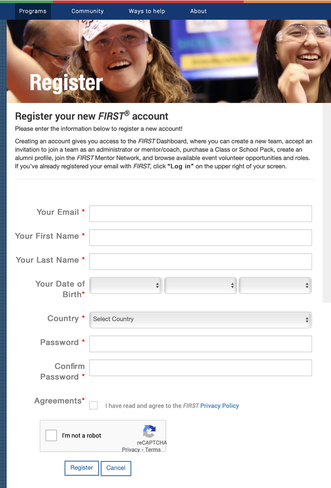
2. Click on “LOG IN” in the upper righthand corner 3. Click on the link for, “Not registered? Sign up here” 4. Fill this out and click "register." Students must use a non-school email, because students can't receive any outside emails to their school account.
5. Check the email you used to register and click the link provided to activate your account.
6. You will be prompted to login to your new FIRST account and accept the Terms and Conditions. Once you do that, you will see your "Dashboard." 7. You will be prompted to fill our your profile information. 8. In the upper righthand corner, you will see, “Hello, your name” 9. Click the little down arrow, then click "Acknowledgement Forms." You must type your name and "Accept and Submit." Congrats! You now have a FIRST account and you've accepted this season's consent and release form. Your student should now be able to do their part, then please review below because parents, unless your child is 18, you are not finished yet.... but this can only be completed after the students have done their part. |
|
Students:
|
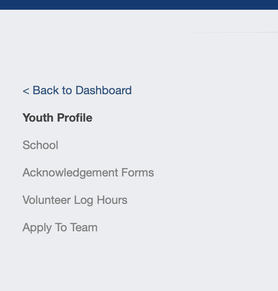
- Complete steps 1-8 above, then after you save your profile, click on the link to the left for "Acknowledgement Forms"
it says that you cannot sign it - your parent has to sign for you (if you are under 18). |
|
|
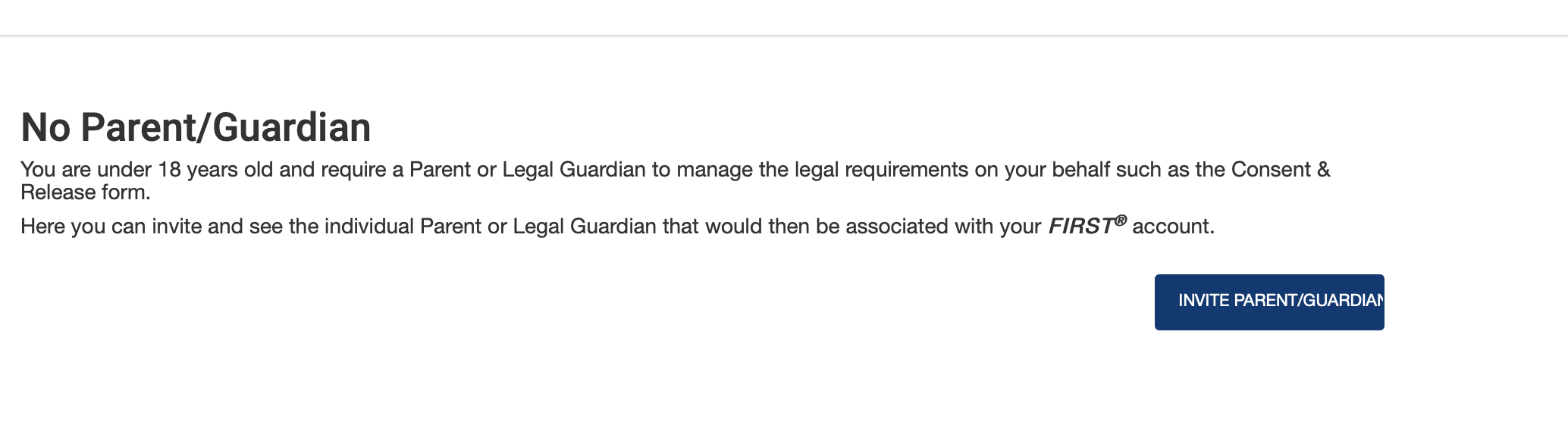
- You will need to click on the FIRST Consent and Release Form, but it will tell you to invite your parent to sign the form:
|
|
- Follow the instructions after you click invite your parent/guardian. Your parent should receive an email from [email protected]. They need to either sign in to their dashboard or if they don't have an account yet, they should click the link and create an account. Since you invited them, they can now sign your release.
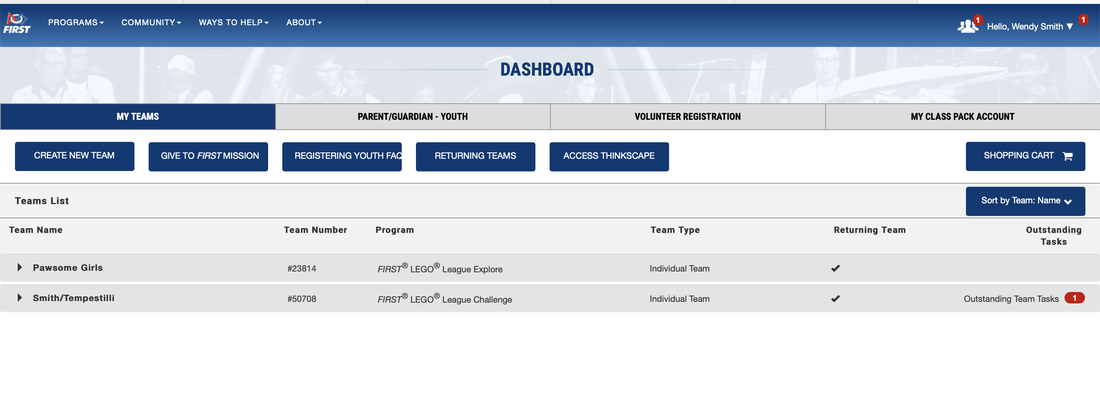
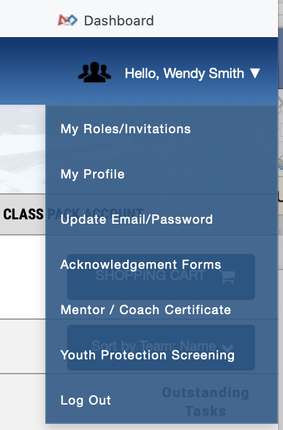
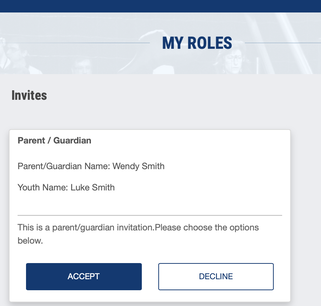
Below is an example from one of my dashboards. You can see in the upper right corner that there is a drop down menu with Hello, Wendy Smith, and a red "1" in a circle. That's where your parent will find what they need to proceed - choose "my roles/invitations" and then "accept the role as your parent." (I think they accepted that role a long time ago!)
Below is an example from one of my dashboards. You can see in the upper right corner that there is a drop down menu with Hello, Wendy Smith, and a red "1" in a circle. That's where your parent will find what they need to proceed - choose "my roles/invitations" and then "accept the role as your parent." (I think they accepted that role a long time ago!)
|
|
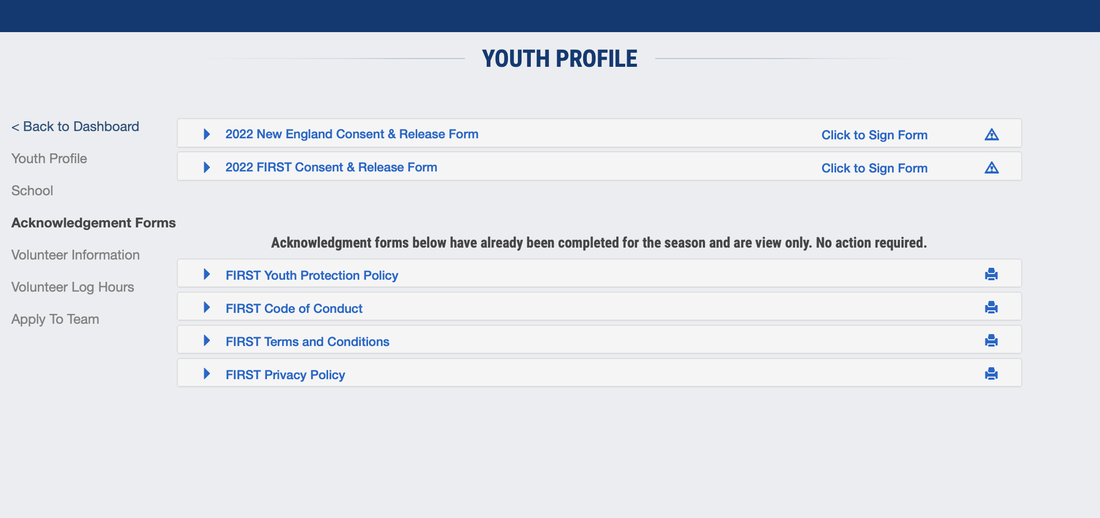
There are two consent and release forms for your parents to sign (notice the two 'caution' symbols in the screenshot below.
After your parents sign it online, then you can apply to the team.
After your parents sign it online, then you can apply to the team.
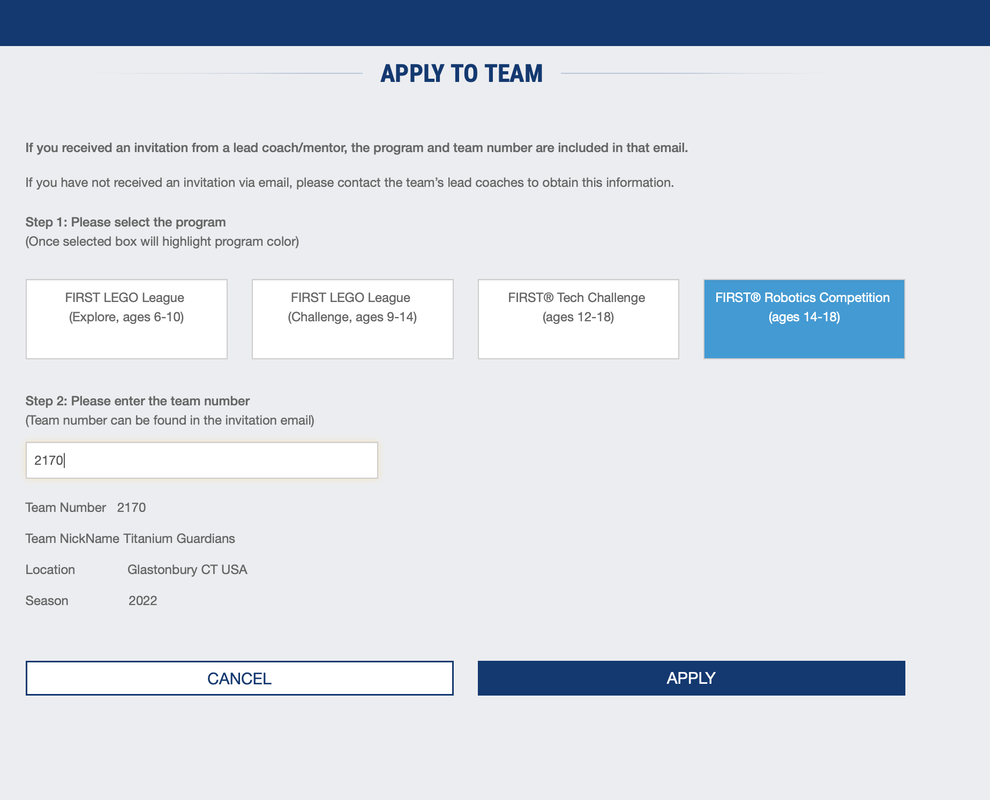
To apply to our team, you select FIRST Robotics Competition (ages 14-18) and enter in team number 2170. Then click APPLY, and a teacher advisor will get around to accepting you!
Parents:
After the student has an account, parents, after logging into your account:
IF YOU HAVE A PROBLEM, CALL FIRST IN NEW HAMPSHIRE! They can walk you through it while you are on your computer. The number is (800) 871-8326 and they are open Monday - Friday, 8:30 - 5:00 EST.
- You need to go to your dashboard, then look for the rectangle that says, “PARENT/GUARDIAN YOUTH”
- click “Youth Options” and choose “apply to a team” from the dropdown menu
- When you choose, “school,” there will be a huge dropdown menu to get Glastonbury
- Then you fill in the rest of the information for your student
- Choose the FIRST Robotics Competition
- The team number you type in is 2170
- To sign consent and release for your child, you type in your full name and click “accept & submit”
- In your dashboard under “youth options” you click sign consent and release. There will be another consent and release available there for you to sign
IF YOU HAVE A PROBLEM, CALL FIRST IN NEW HAMPSHIRE! They can walk you through it while you are on your computer. The number is (800) 871-8326 and they are open Monday - Friday, 8:30 - 5:00 EST.
